• English
  • Settings

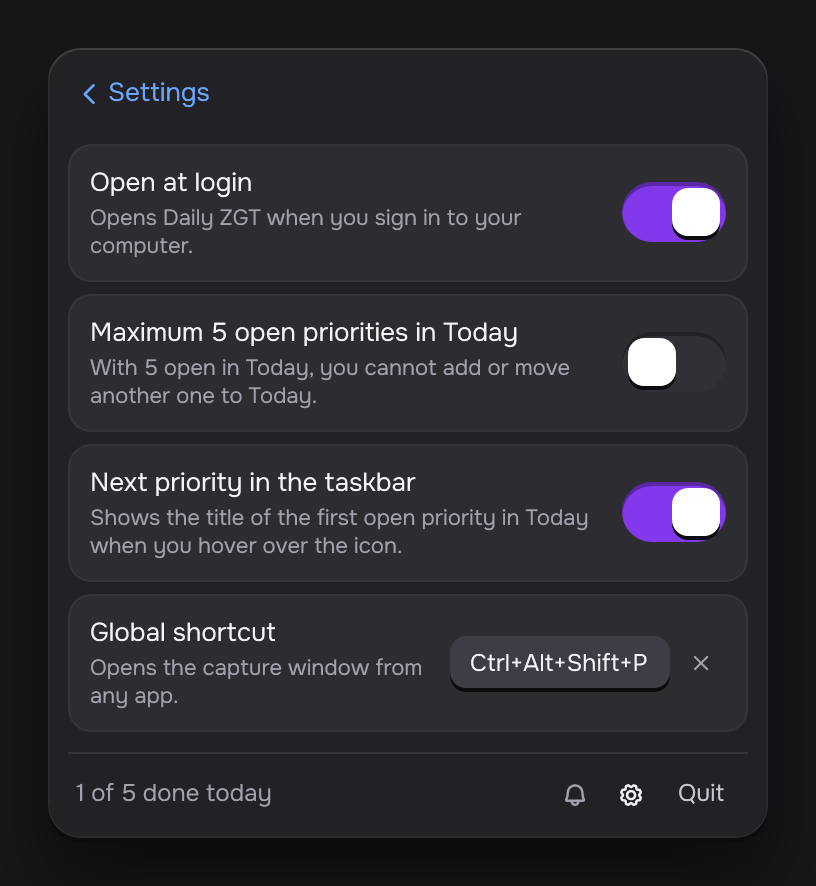
    Click the gear at the bottom of the panel to open the settings.

    The Settings view with three switches, Open at login, Maximum 5 open priorities in Today and Next priority in the taskbar, and the Global shortcut field set to Ctrl+Alt+Shift+P.
    SettingWhat it doesDefault
    Open at loginOpens Daily ZGT when you sign in to your computer.Off
    Maximum 5 open priorities in TodayWith 5 open in Today, you cannot add or move another one to Today.Off
    Next priority in the taskbarShows the title of the next priority of Today.On
    Global shortcutThe keys that open the capture window. Click the field and press new keys.Ctrl+Alt+Shift+P on Windows, Control+Option+Command+P on macOS

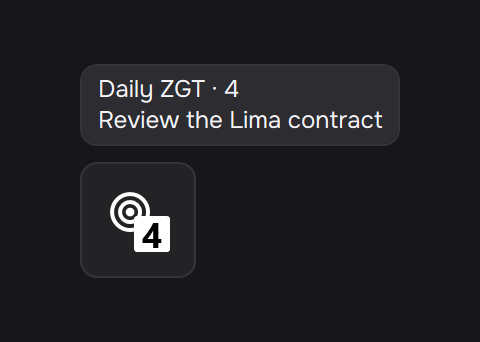
    On Windows, the next priority shows when you hover over the tray icon. On macOS, it shows next to the icon in the menu bar.

    The tray icon with the number 4, under its tooltip, which reads Daily ZGT · 4 and the next priority, Review the Lima contract.

    The macOS app shows these settings in Spanish.